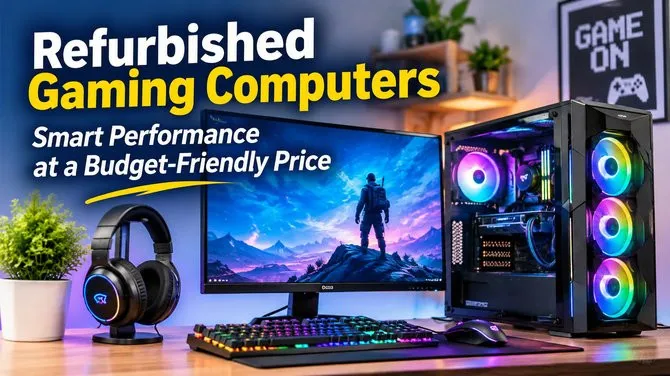
Gaming computers can be expensive, especially when choosing systems with powerful processors, dedicated graphics cards and sufficient memory. For people working with a limited budget, a refurbished gaming computer may offer an alternative to purchasing a brand-new system.
However, buying refurbished hardware requires careful consideration. Understanding the condition of the computer, its specifications and its previous usage can help buyers make a better decision.
What Is a Refurbished Gaming Computer?
A refurbished gaming computer is a previously owned or returned system that has been inspected, tested and prepared for resale. Depending on its condition, some components may have been repaired or replaced.
Refurbished computers are different from ordinary second-hand systems. A professionally refurbished computer should undergo basic functionality checks before being offered for sale. However, the quality of refurbishment can vary between sellers.
Why Do People Consider Refurbished Gaming Computers?
One of the main reasons people consider refurbished computers is affordability. A refurbished system may provide access to better hardware specifications at a lower cost than a comparable new computer.
Other potential advantages include:
- Lower purchase cost: Previously owned hardware can be more affordable.
- Access to better specifications: Buyers may find systems with dedicated graphics cards and powerful processors within their budget.
- Reduced electronic waste: Reusing functional computer components can help extend their useful life.
- More configuration options: Refurbished markets may include older workstation and gaming models that are no longer widely available as new products.
However, these benefits depend on the computer's actual condition and the quality of its components.
Important Things to Check Before Buying
Purchasing a refurbished gaming computer without checking its hardware can lead to unexpected expenses. Consider the following factors before making a decision.
1. Processor Performance
The processor plays an important role in gaming performance, multitasking and overall system responsiveness. Check the processor model, generation, core count and compatibility with the games you intend to play.
2. Graphics Card Condition
The graphics card is one of the most important components in a gaming computer. Check its model, available memory, temperature and performance under load.
Also inspect the cooling fans and look for unusual noise or signs of overheating.
3. RAM and Storage
Modern games often require sufficient memory and storage capacity. Check whether the computer has enough RAM for your intended use and whether its storage drive is functioning properly.
An SSD generally offers faster loading times than a traditional hard drive.
4. Cooling and Temperature
Gaming hardware generates heat during demanding tasks. A computer with poor cooling may experience performance drops, unexpected shutdowns or hardware problems.
Ask whether the cooling system has been inspected and test the computer under a reasonable workload.
5. Physical Condition
Inspect the cabinet, ports, cables, fans and internal components. Look for damaged connectors, excessive dust, corrosion or signs of previous repairs.
Physical appearance alone cannot establish whether a computer is working correctly, so hardware testing is equally important.
Understand the Warranty and Return Policy
Warranty coverage is particularly important when purchasing refurbished electronics. Check how long the warranty lasts, which components are covered and whether repairs or replacements are included.
Also understand the return policy before completing the purchase. A clear return policy provides additional protection if the computer develops a problem shortly after delivery.
Buyers should request a proper invoice and written confirmation of the system specifications.
Refurbished vs. New Gaming Computers
Both options have advantages and limitations.
A new gaming computer generally offers unused components, manufacturer warranty options and newer hardware. A refurbished computer may cost less and provide good performance for everyday gaming, depending on its configuration.
The right choice depends on budget, performance requirements, warranty coverage and expected usage.
Common Mistakes to Avoid
Some buyers focus only on the graphics card or processor and overlook other important details.
Avoid these common mistakes:
- Purchasing without checking the exact hardware specifications.
- Ignoring temperature and cooling performance.
- Assuming every refurbished computer includes a warranty.
- Choosing outdated hardware without checking game requirements.
- Ignoring the condition of the power supply.
- Comparing prices without considering the warranty and return policy.
A little research before purchasing can prevent unnecessary repair expenses later.
Final Thoughts
Refurbished gaming computers can be a practical option for budget-conscious buyers, but they are not automatically the right choice for everyone. Their value depends on hardware condition, performance, warranty coverage and the reliability of the refurbishment process.
Rather than focusing only on a low price, buyers should evaluate the complete system and consider their actual gaming requirements. A carefully inspected computer with suitable specifications can provide a useful gaming experience without requiring the investment associated with a brand-new system.


