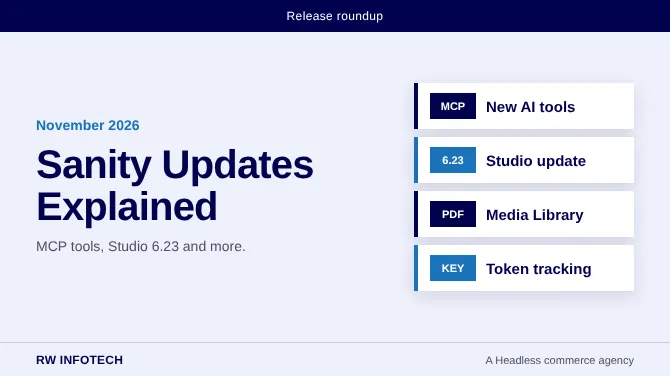
Sanity, the headless CMS, has shipped a steady run of updates in the first half of November 2026, and several of them point in the same direction: making Sanity easier for AI tools and agents to work with, while keeping the Studio smooth for human editors. This article rounds up the main changes from the release notes and explains in plain language why they matter for content teams.
Studio updates
Studio v6.22.0 arrived on November 3 with a variants menu, a releases menu and smoother navigation between documents. Studio v6.23.0 followed on November 10, adding video thumbnails in media previews and clearer states when someone requests access to a project. These are small changes, but they remove everyday friction for editors who work in the Studio all day.
Media Library improvements
On November 12, PDF previews in the Media Library gained pan and zoom, so editors can check a document without downloading it. Folder counts also load faster in large libraries, which helps teams that manage thousands of files.
Better tools for AI assistants
Much of this month's news is about MCP, short for Model Context Protocol. In simple terms, an MCP server is a standard way for an AI assistant to connect to a tool or a set of data and work with it safely. If you want a plain-language introduction, this guide explains why a headless CMS may need an MCP server in 2026.
Here is what changed for Sanity:
- On November 3, the workspace, perspective and semantic search settings are now set on the Context MCP endpoint, which uses a new version in its address.
- New usage tools let teams read API and AI usage for projects, organizations and Media Libraries.
- Schema editing tools now keep existing settings when changes are made.
- On November 13, MCP tools gained stable error codes, server details and clearer validation results, which makes problems easier to understand and fix.
- Also on November 13, document writes are now validated even when an older copy of a schema exists next to the deployed or MCP-managed one.
For content teams, the practical benefit is safer automation. When an AI assistant writes content, the system checks it against your rules instead of accepting anything.
Security and access
On November 12, robot tokens began showing when they were last used in the console, the API and the command line. This makes it easier to spot tokens that nobody uses any more and remove them, which is a good habit for any project.
Notes for developers
The @sanity/sveltekit package reached version 3.0.0 on November 10. It splits imports into subpaths, which is a breaking change that keeps the Studio out of pages that only show content. Teams using it should read the upgrade notes and test on a staging site first. The collaboration package is now MIT licensed, and it requires App SDK 3.11.0 or later.
What this means for your team
- Review the release notes before you upgrade anything.
- Test changes on a staging project, not on live content.
- Check your robot tokens and remove any that are no longer needed.
- If you plan to use AI assistants with your content, set clear schema rules first, so every write is validated.
The pattern is clear. Sanity is investing in tools that let AI and people work on the same content with proper checks. For the full details of every change, read the official changelog.


